Use DAFinitive® Batch Screening to screen a list of constituent records against DAFinitive®. This feature helps your team identify potential donor advised fund connections more efficiently than looking up records one by one.
Please note: DAFinitive® Batch Screening is an add-on service to the base DAFinitive® subscription. If your organization has not already added Batch Screening, please contact your account representative or hello@dafinitive.com to learn more.
DAFinitive® does not include contact information for donors or advisors, so Batch Screening identifies potential matches based on names. Your team should review and validate any returned matches before determining that a donor advised fund is connected to an individual in your database.
Important: It is your responsibility to ensure your organization has the appropriate rights and permissions to screen constituent records and complies with any applicable data protection laws. Do not submit records for minors.
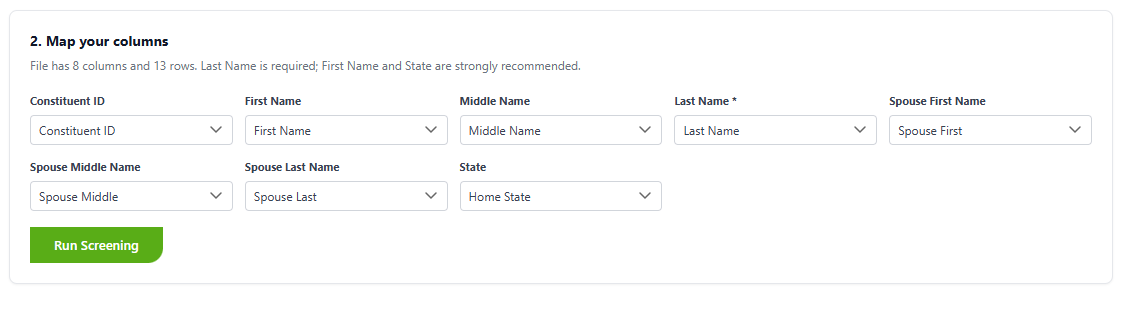
Your file must include the required fields below. Include recommended fields, when available, to help support review and validation. You can also see a sample template here.
Note: Home State is not used for matching, but it can help your team evaluate whether a returned record is likely to be relevant.
Once you are ready to submit your file, navigate to the Screening portal within DAFinitive® and click on Choose File:
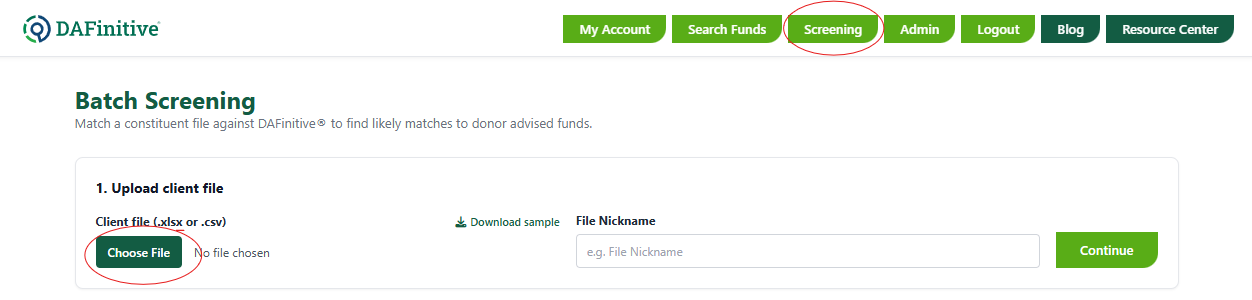
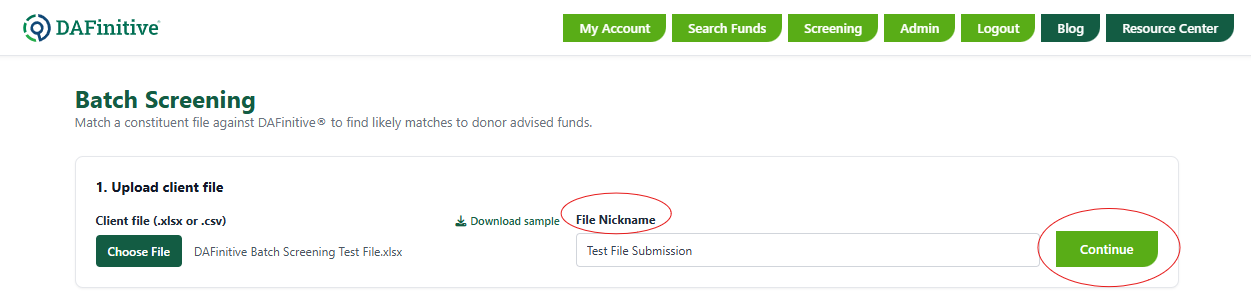
After you have chosen your selected file, in the File Nickname field, you have the option of providing an additional nickname for your file. Then, click Continue:
You will then be given an option to map the columns in your file to DAFinitive®. When you are finished, click Run Screening:
While your screening processes, you will see a status bar:

Once the screening is complete, you will see a Summary of your results, followed by three tabs where you can view results based on various Match Types. Here, you also have the option to download your results to Excel:
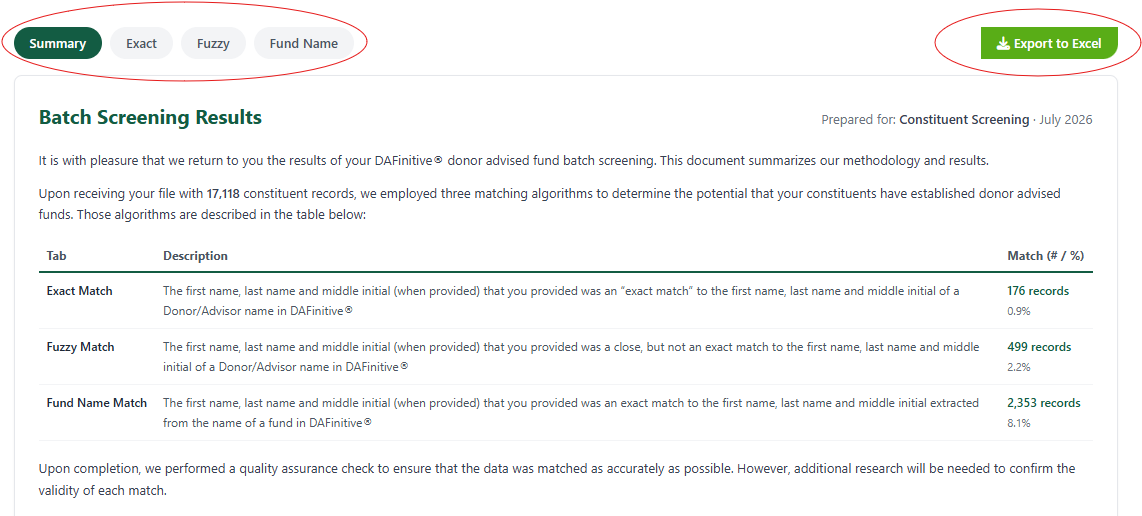
We employed three matching algorithms to determine the potential that your constituents have established donor advised funds. The algorithms, and examples of each, are described below:
Each results tab will have the following columns:
Field | Description |
Client ID | ID number provided by you |
Constituent Name | The name of the constituent provided by you |
Role | Primary/Spouse - Constituent's position in the file you submitted |
Spouse/Partner Name | Spouse/Partner name, when provided by you |
DAFinitive® Matching Fund | The name of the donor advised fund, as listed in DAFinitive® |
Sponsor Organization | The sponsoring organization that manages the fund, as listed in DAFinitive® |
Fund Donor/Advisor | The matched name listed on the DAFinitive® file (not visible on the Fund Name Match tab) |
Additional Donor/Advisor Names | Additional donors/advisers, as listed in DAFinitive® (not visible on the Fund Name Match tab) |
Client State | State where the constituent is located, as provided by you |
Fund State/Country | The state or country where the DAF sponsor is located, as listed in DAFinitive® |
State Match | Yes/No - Does the client state and DAFinitive® fund state match? |
Gift Count | The number of gifts in DAFinitive® that have been distributed from the fund |
Has Notes? | Yes/No - Is there a note associated with the fund in DAFinitive®? |
Additional Notes:
Please contact us at hello@dafinitive.com.